Whether a device is eSIM-compatible depends on whether the manufacturer included eSIM support when building the device. That's why esim.vn provides a list of eSIM-compatible devices so you can easily check.
In some countries and regions, certain models may be released without eSIM capability. Or the carrier you purchased your device from may not have eSIM enabled.
Follow the steps below to check whether your iOS device supports eSIM technology. Please note that these steps may or may not apply to your specific device. The most reliable way to confirm eSIM capability is still to check directly with your device manufacturer, vendor, or primary carrier.
For iPhone:
OPEN the Settings app, then TAP General.
TAP About.
TAP the Model Number until it changes to an AXXXX format.
VERIFY that your iPhone's Model Number doesn't originate from a Chinese region. You can check this information via this Apple support link.
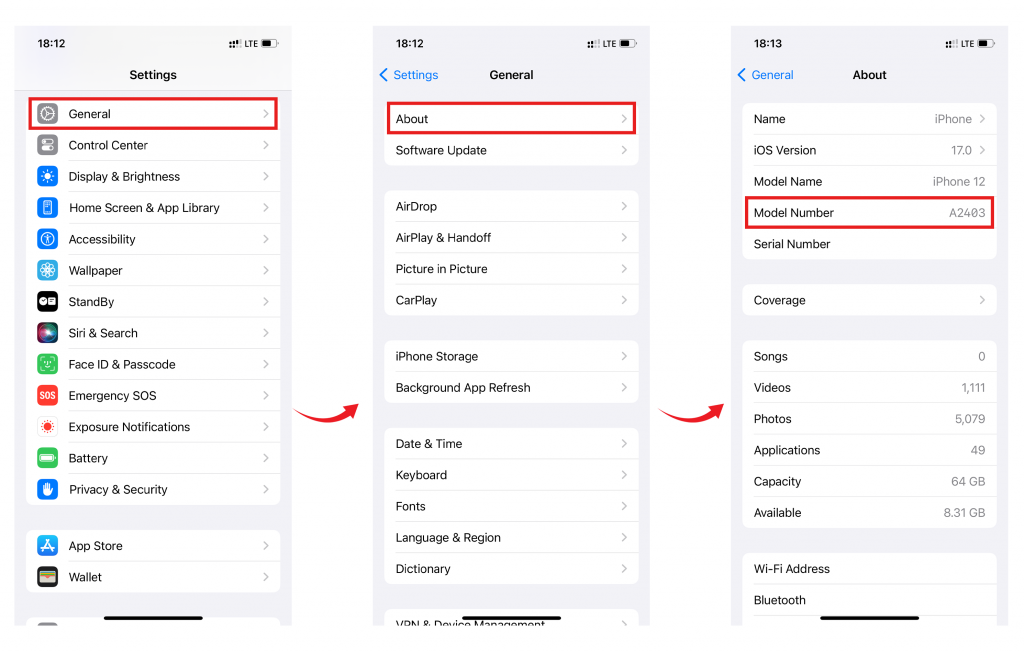
If the model number doesn't match any of the mainland China, Hong Kong, or Macao variants, your device is likely eSIM-compatible. Next, check whether your iPhone is carrier-locked or unlocked by following the steps below:
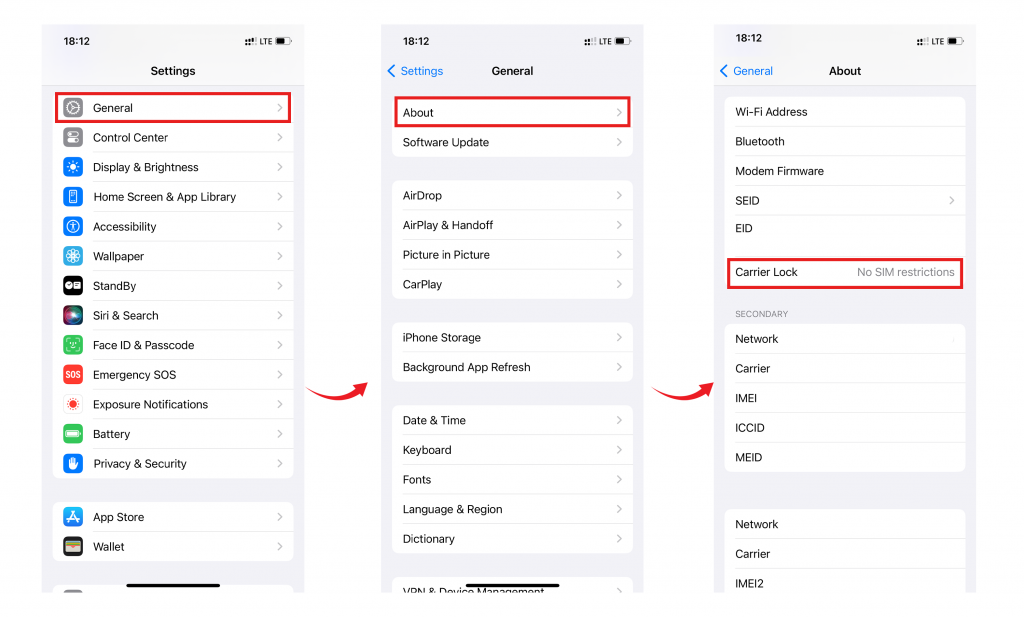
OPEN the Settings app, then TAP General.
TAP About.
SCROLL down and look for the Carrier Lock field. Your iPhone is unlocked if "No SIM restrictions" appears next to Carrier Lock.
For iPad:
OPEN the Settings app, then TAP General.
TAP About.
TAP the Model Number until it changes to an AXXXX format.
VERIFY that your iPad's Model Number doesn't originate from a Chinese region. You can check this information via this Apple support link.
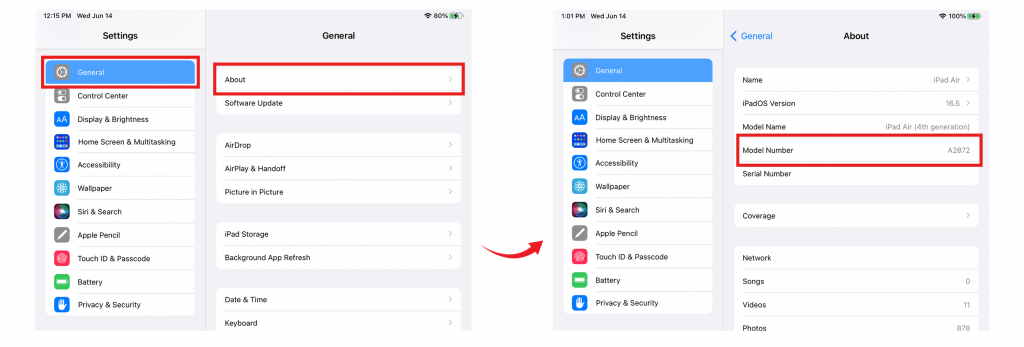
If the model number doesn't match any of the mainland China, Hong Kong, or Macao variants, your device should be eSIM-compatible, as long as it also supports cellular connectivity.
If you're still unsure, remember to check with your device manufacturer, vendor, or primary carrier to confirm eSIM capability.
If you have any questions, feel free to contact the esim.vn support team - we're always happy to help!